
Contacts
Manage your leads and clients from first inquiry to booking.
The Contacts section is where you manage all your relationships with potential and existing customers. Whether someone just filled out a form on your website or has been a loyal client for years, you’ll find them here.
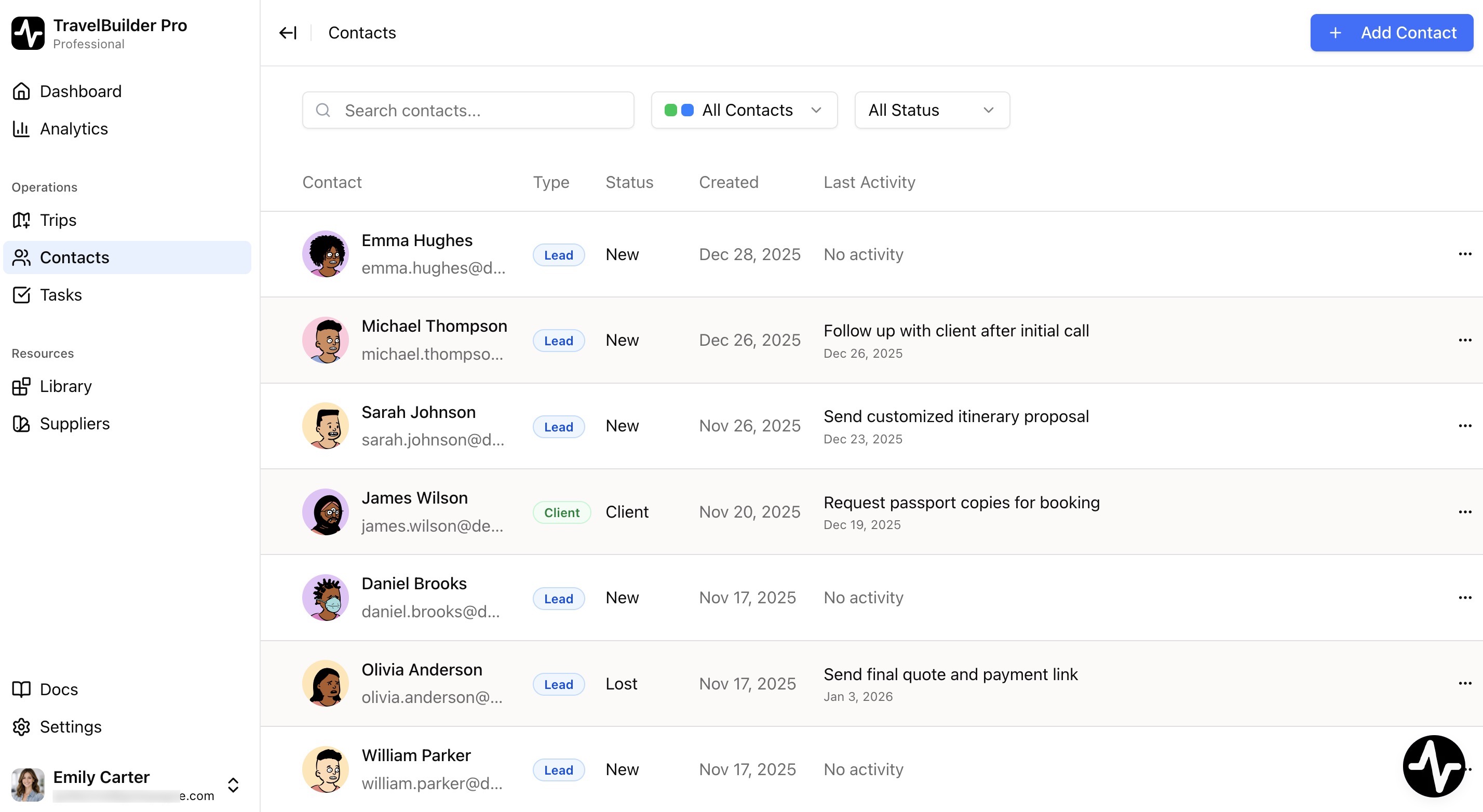
Why it matters for your travel agency: A well-organized contact database helps you never miss a follow-up, track every conversation, and turn more inquiries into booked trips.
Understanding Leads and Clients
Before diving in, let’s clarify two important terms:
- Lead: a potential customer who has shown interest but hasn’t booked yet (e.g., someone who filled out your website form asking about a trip to Italy).
- Client: a customer who has made a booking or paid for your services (e.g., someone who booked and paid for their honeymoon trip).
Viewing Your Contacts
The Contacts List
When you open the Contacts page, you’ll see a table displaying all your leads and clients in one place. Use the display toggle in the toolbar to switch to a card view instead; your choice is remembered locally, per device.
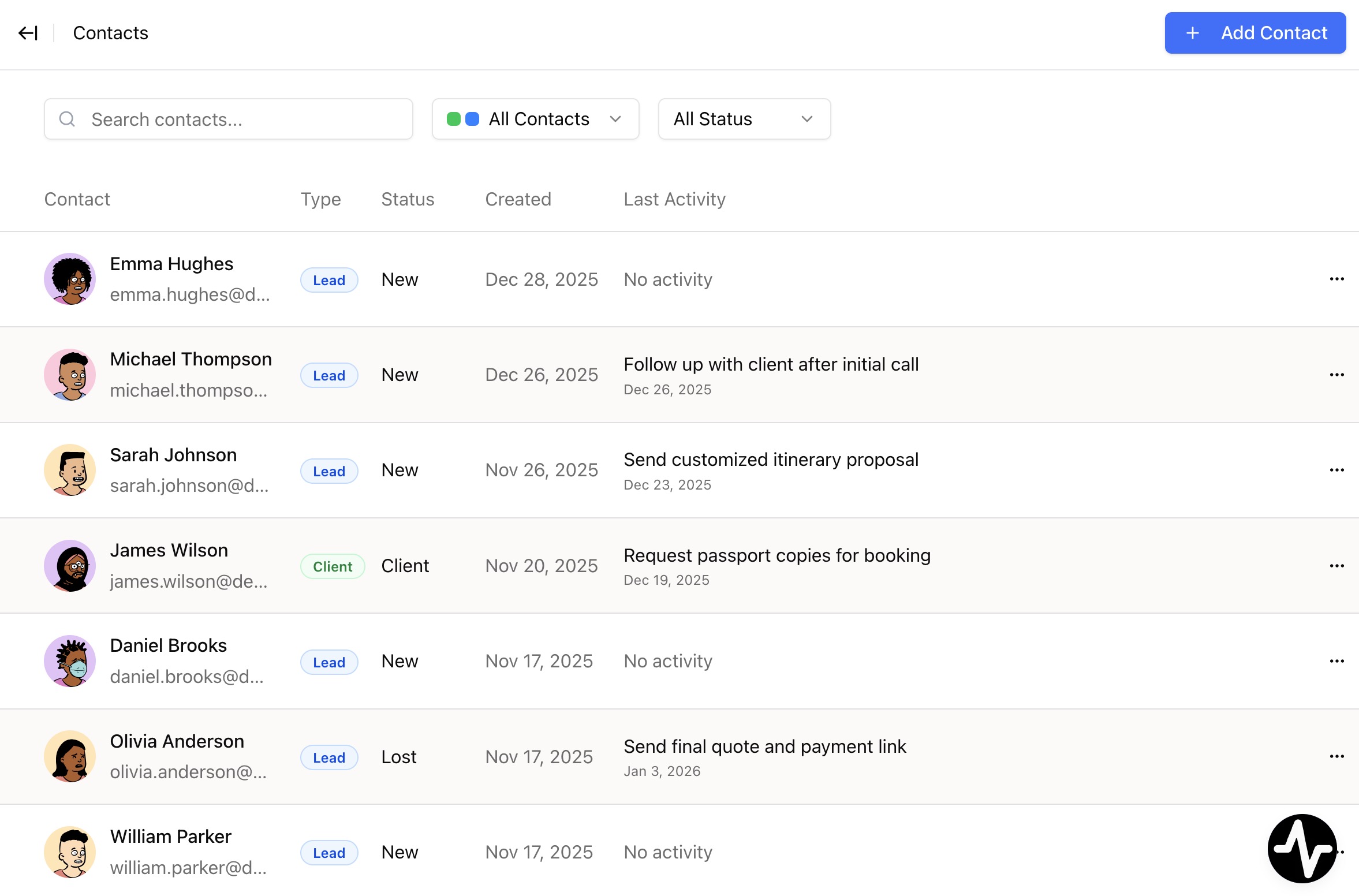
Each row shows:
Contact: auto-generated avatar, name, and emailType:LeadorClientchipStatus: where they are in your sales process (New,Contacted,Qualified, etc.)Owner: the team member who owns this contactPotential: for leads, a conversion-potential tier chip (cool, warm, hot). Clients leave this cell empty.PaidandUnpaid: totals across every trip for this contactCreatedandClient since: when the contact was added, and (for clients) the year they became oneActions menu: quick actions like edit, convert, or create a trip
Click Fields to show in the toolbar to pick which columns are visible, and drag a column header’s right edge to resize it. Your choice is remembered locally, per device.
Filtering Your Contacts
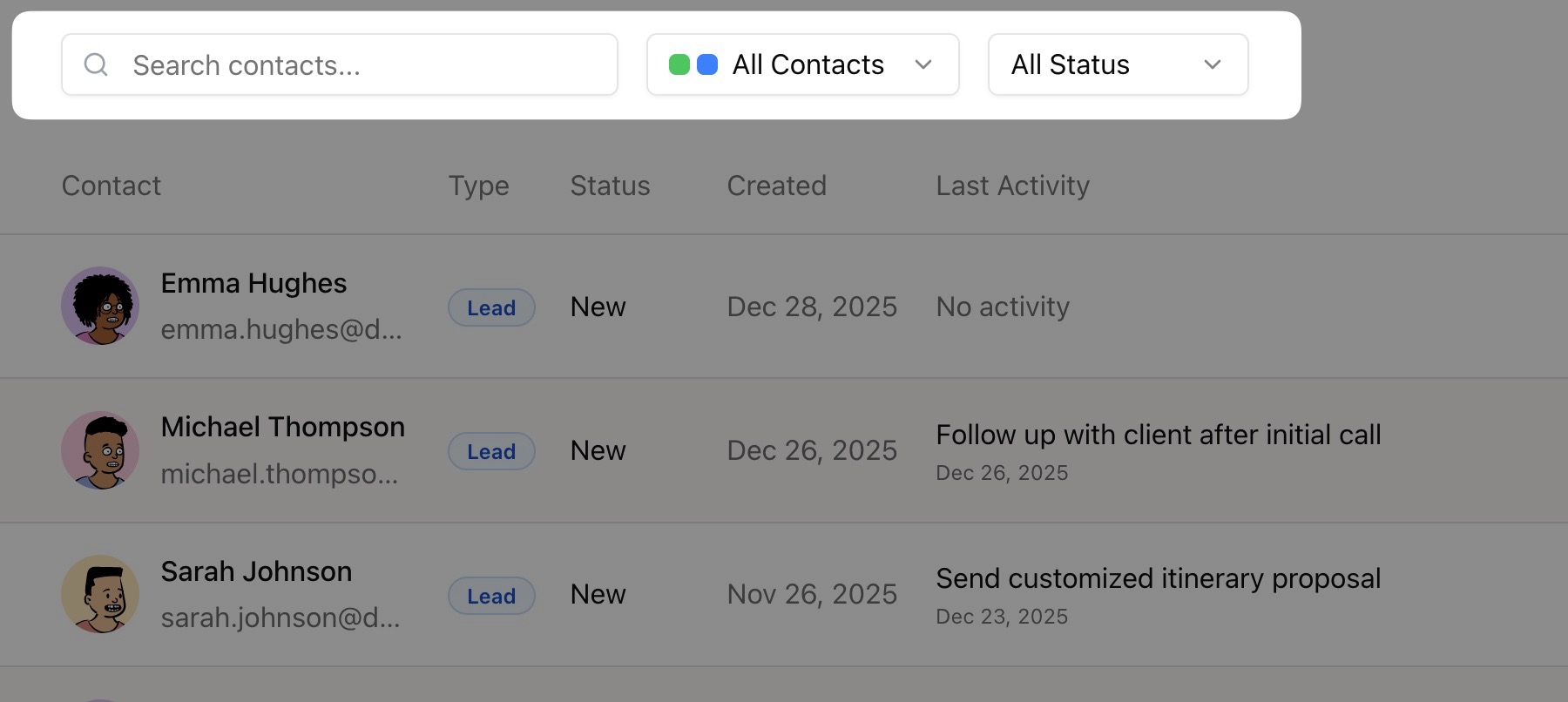
Use the toolbar at the top to find exactly who you’re looking for:
- Search bar: type a name, email, or keyword to find contacts instantly
- Filters: opens the condition builder. Pick a field (
Type,Status,Owner,Potential,Source,Tags, and more), an operator, and a value; chain conditions with a singleand/orconjunction across the whole set. Filters chosen here appear as removable chips below the toolbar. - Sort by: order the list by
Newest,Oldest,A → Z, orZ → A
Bulk actions
Selection checkboxes are always visible on the contacts table. To act on several contacts at once:
- Tick the checkbox on each contact you want to include, or tick the header checkbox to select every contact in the current view.
- Pick an action from the bulk bar at the top:
Assign owner: reassign ownership of every selected contact to another active team member.Delete: a confirmation dialog asks you to confirm the bulk deletion.
Use this to reassign a batch of leads to a new teammate, or clean up test leads and outdated contacts in a single step.
Saved Views
A saved view is a personal filter preset for contacts: a named combination of conditions, a date window, and a sort order. Views are personal to you: your teammates never see yours, and you never see theirs. The mechanics mirror trip views (see Trips → Saved Views).
Picking a view
Open the view picker from the breadcrumb at the top of the page. The second crumb shows the active view (or All contacts when no view is active). Every view carries a count beside its name so you can see how many contacts it currently matches.
The picker also holds:
+ New view. Open the create dialogManage views…. Open a dialog where you can rename, star, reorder, or delete your views
Star (★) a view to make it your default. The app will open on it every time you land on the Contacts page.
Creating a view
Click + New view in the picker. The dialog offers a blank view or one of six presets tailored to CRM work: for example New leads, Recently created, or Clients only. Pick one, adjust the name if you want, and confirm.
You can save up to 8 views per account.
Editing a view inside the toolbar
When a view is active, the toolbar carries the same controls as All contacts, with two differences:
Filtersopens a condition builder: the same one used on the Trips page. Pick a field, an operator, and a value; chain conditions with a singleand/orconjunction across the whole set.Hide fieldslets you hide non-essential fields from the list.
Saving, discarding, or saving as new
Change anything inside a view and a small blue dot appears next to the view name in the breadcrumb. Two chips appear above the list:
Save changes. Write the current toolbar state into the view. The split-button chevron beside it opensSave as a new view….Reset changes: restore the view’s saved state; nothing is written.
Switching to another view or leaving the page discards unsaved changes without asking.
Creating a New Contact
Method 1: Automatic via Website Forms (Recommended)
If you’ve connected your website forms to TravelBuilder Pro, contacts are created automatically when someone submits an inquiry. The system captures:
- All form fields (name, email, message, etc.)
- The form name as the source
- The submission date and time
Method 2: Quick Creation
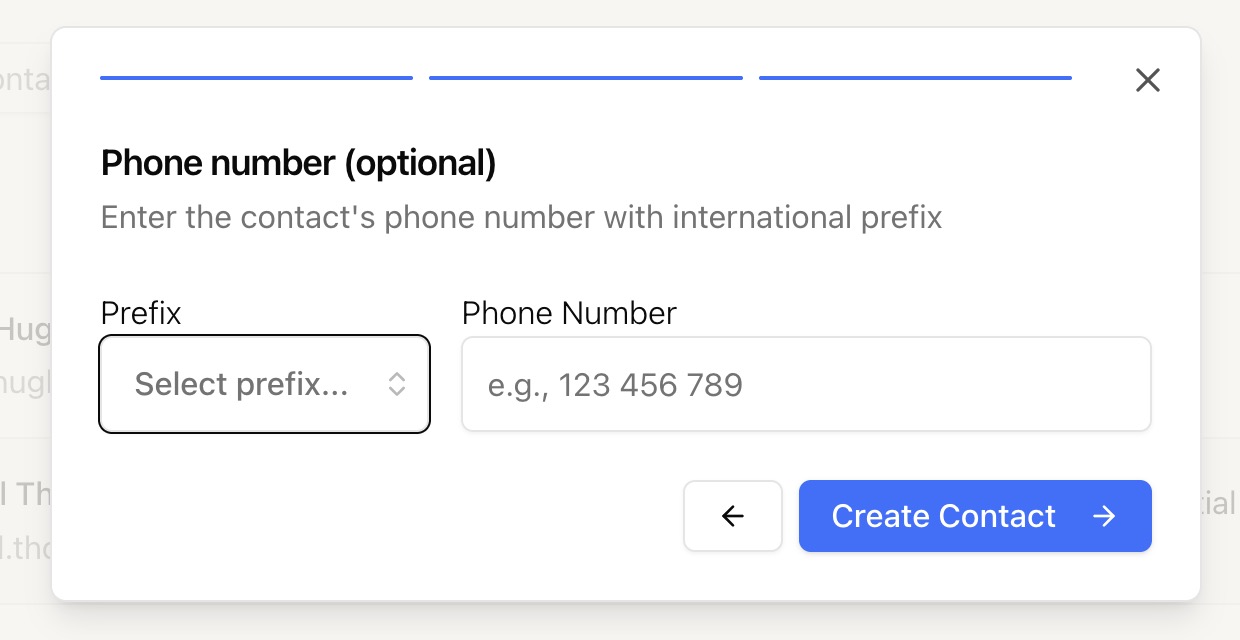
The fastest way to add a contact is through the 3-step popup:
Step 1: Enter the name
- Click the
Add Contactbutton in the top-right corner - Enter the contact’s
First Name - Enter the contact’s
Last Name - Click
Next

Step 2: Add their email
- Enter the contact’s
Email address - Click
Next

Step 3: Add phone number (optional)
- Select the
country prefixfrom the dropdown (search by country name) - Enter the
phone number - Click
Create Contact
The Contact Profile
Click on any contact to open their full profile. This is where you manage all their information. If the contact was created from a website form and includes an inquiry message, that message is pinned at the top of the profile for quick reference.
The overview also shows a Trips proposals counter. Click it to jump straight to the Payments tab for that contact.

Header: Pipeline Stepper
At the top of every contact profile, a pipeline stepper shows where the contact stands in your sales process: New → Contacted → Qualified → Client (with a Lost side step).
- The contact’s avatar appears on the current step so you can see progress at a glance.
- Completed steps are marked with a check badge; the current step is highlighted.
- Hover any step to preview what that status means.
- Click a step to move the contact to that status directly, no need to open a dropdown.
Header: Client Payment Card (clients only)
When the contact is a client, the header also shows a Client Payment Card summarising their overall balance across all trips:
Paid: total amount already received.Unpaid: total still outstanding.
Left Sidebar: Quick Info
The sidebar gives you instant access to essential information:
-
Avatar: Auto-generated, unique to each contact Name: With a copy button for easy sharingType badge:Lead(blue) orClient(green)Email & Phone: Each with copy buttons
Right Side: 5 Information Tabs
On an existing contact, the profile opens on the Overview tab. A brand-new contact opens on Trip (its Travel infos form) since there is nothing to summarize yet.
Tab 1: Overview
The one-glance summary of everything else. Three previews sit on top of each other:
- Recent activity: the last four timeline items as one-line rows, each with a title-chevron and a
View historybutton - Trips: the contact’s first three trips with their status, plus a
View tripsshortcut - Participants: everyone on the booking party with their passport-ready status
Every preview links to the full tab, so Overview is your default landing without stealing what the other tabs do.
Tab 2: History
Your complete timeline of interactions with this contact.

What you’ll see:
- Form submission data: if they came from a website form, see exactly what they submitted
- System events: automatic tracking of when they were created, converted, etc.
- Your notes: everything you and your team have logged
What you can do:
- Add a new activity: click
Add activityto log a call, email, meeting, or note - Create tasks: add reminders that appear in your Tasks page
- Search notes: use the search bar to find specific information
- Toggle views: switch between detailed and compact view
Tab 3: Trip
Capture what your contact is looking for in their trip: the fields that used to live under Travel Infos, plus the key travel information that moved out of the old About tab.
Fields include:
Trip Message: their original inquiry or requestDestination: where they want to goTravel date: their desired departure dateBudget: indicative budget for the tripProject Stage:Research,Planning, orReady to BookTravel Participants:Solo,Couple,Family,GroupTrip Type:Leisure,Adventure,Cultural, etc.Accommodation preferences: type, category, and special notes
Tab 4: Payments
Track every trip proposal and the money attached to it.
What you’ll see:
- Every trip created for this contact
- Payment status (
Paid,Partial,Unpaid) - Trip status (
Draft,Sent,Confirmed,Canceled) - A
Create a new tripbutton that prefills the contact
The Trips proposals counter in the left column jumps straight to this tab.
Tab 5: Participants
The Participants tab is a simple table of everyone travelling with this contact. The contact themselves is the primary participant. Click Add participant to add co-travelers.
Columns
Traveler: name and birth dateFlights: booking references and notesDietary restrictionsPassport OK: a green tick once passport details are completeMisc: free-text field for anything else
Your agency can also define up to 5 custom fields from Settings → Trip Template → Traveler fields. Custom fields show up as extra columns for every trip.
What you can do:
- View toggle: switch between table and cards from the toolbar (
Fields to showpopover lets you hide non-essential columns) - Row edit: click any row to open the full form and set passport details, dietary notes, custom fields, and more
- Save: no per-row commit; the profile’s
Savebutton writes every change at once
Converting a Lead to a Client
When a lead commits to a trip, it’s time to convert them to a client. This is a milestone worth celebrating, and TravelBuilder Pro even fires a little confetti animation to mark the moment. 🎉
Option 1: From the Contacts List
- Find the lead in your contacts list
- Click the
...menu on their row - Select
Convert to Client - Done! A success message confirms the conversion
Option 2: From the Contact Profile
- Open the contact’s profile
- Go to the
Participantstab - Change the
Typedropdown fromLeadtoClient - Confirm in the popup dialog
- Click
Yes, Convert to Client
What happens when you convert:
- The contact badge changes from blue (
Lead) to green (Client) - The conversion date is recorded automatically
- A
Converted to Clientevent appears in their timeline - Your analytics will show how many days it took to convert
Adding Notes and Tasks
Keep your team informed by logging every interaction
Adding an Activity
- Open a contact’s profile
- Go to the
Historytab - Click
Add activity - Select a
category(what type of interaction was it?) - Write your
note content - Optionally, set a
reminder dateto turn it into a task - Click
Save
Available Categories
-
📞 Phone Call- Logging calls you made or received ✉️ Email- Recording email exchanges💬 WhatsApp- WhatsApp conversations👥 In Person- Face-to-face meetings🔗 Social Media-Interactions on social platforms✅ Qualified Lead- Marking a lead as qualified🤝 In Negotiation- Active deal discussions❌ Lost- Recording lost opportunities⏰ Follow-up Scheduled- Planned follow-ups📝 General Note- Any other observations⚠️ Important Information- Critical details to remember✨ Client Preference- Preferences and special requests
Creating Tasks with Reminders
To create a task instead of a simple note:
- Follow the steps to add an activity
- Set a
Reminder dateusing the calendar picker - Optionally, check
Set specific timeand choose a time - Save
The note becomes a task that will appear in your Tasks page with the reminder date.
Managing Notes
- Edit a note: Hover over your note and click the pencil icon (only available for notes you created)
- Delete a note: Hover and click the trash icon (only your own notes)
- Complete a task: Click the checkbox on any task (anyone on your team can do this)