Most CRMs were built to close B2B software deals in a few weeks, not to plan a trip that takes months, touches dozens of suppliers, and lives or dies on detail. That mismatch is why so many agencies buy a general-purpose CRM, use it for a quarter, then quietly drift back to spreadsheets. Before you shortlist anything, it helps to know which travel CRM features genuinely move the needle and which are expensive distractions. This guide is a vendor-neutral checklist you can take into any demo, grouped by the jobs a travel business actually needs its CRM to do.
Why a generic CRM falls short for travel
A standard sales CRM assumes a short cycle and a fixed product: a lead comes in, a rep works the deal, it closes or it does not. Travel breaks all three assumptions. The “deal” is a bespoke itinerary that changes a dozen times, the “product” is assembled from hotels, transfers, guides, and flights, and the relationship is supposed to outlast the first booking by years.
So the first thing to check is whether the tool understands a travel CRM as its own category, or whether it is a horizontal sales tool with a travel logo on the homepage. The difference shows up fast in the features below.
The travel CRM features that actually matter
Work through these in order. The first four are non-negotiable for most agencies. The rest are where tools genuinely differ.
Client records built for trips
You need one record per client that holds more than a name and an email: passport and document uploads, dietary and mobility notes, anniversaries, past trips, and the preferences that let you plan the next journey without asking the same questions twice. If a profile cannot store trip history and documents, it will not save you time where it counts.
Lead capture and a pipeline you can see
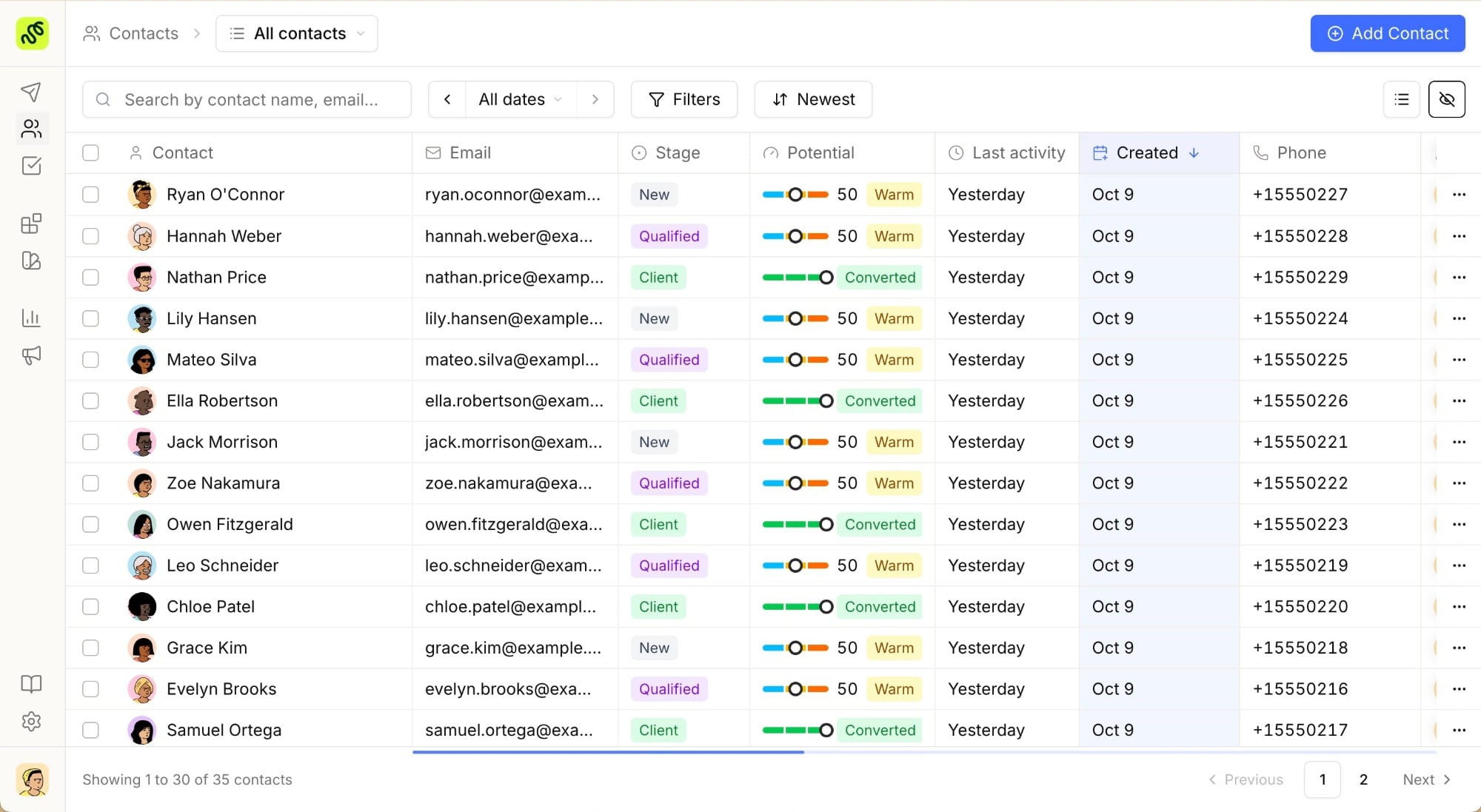
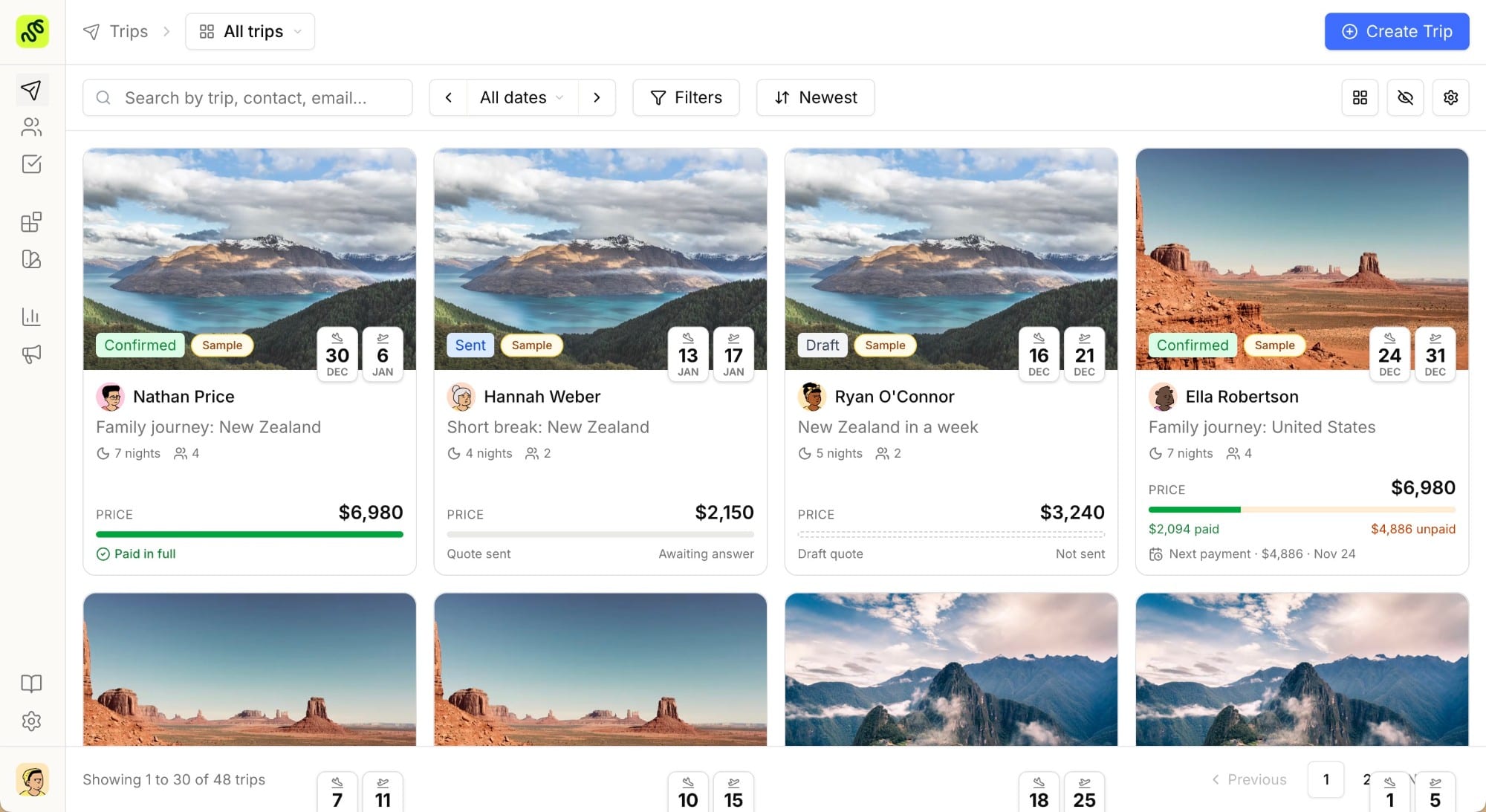
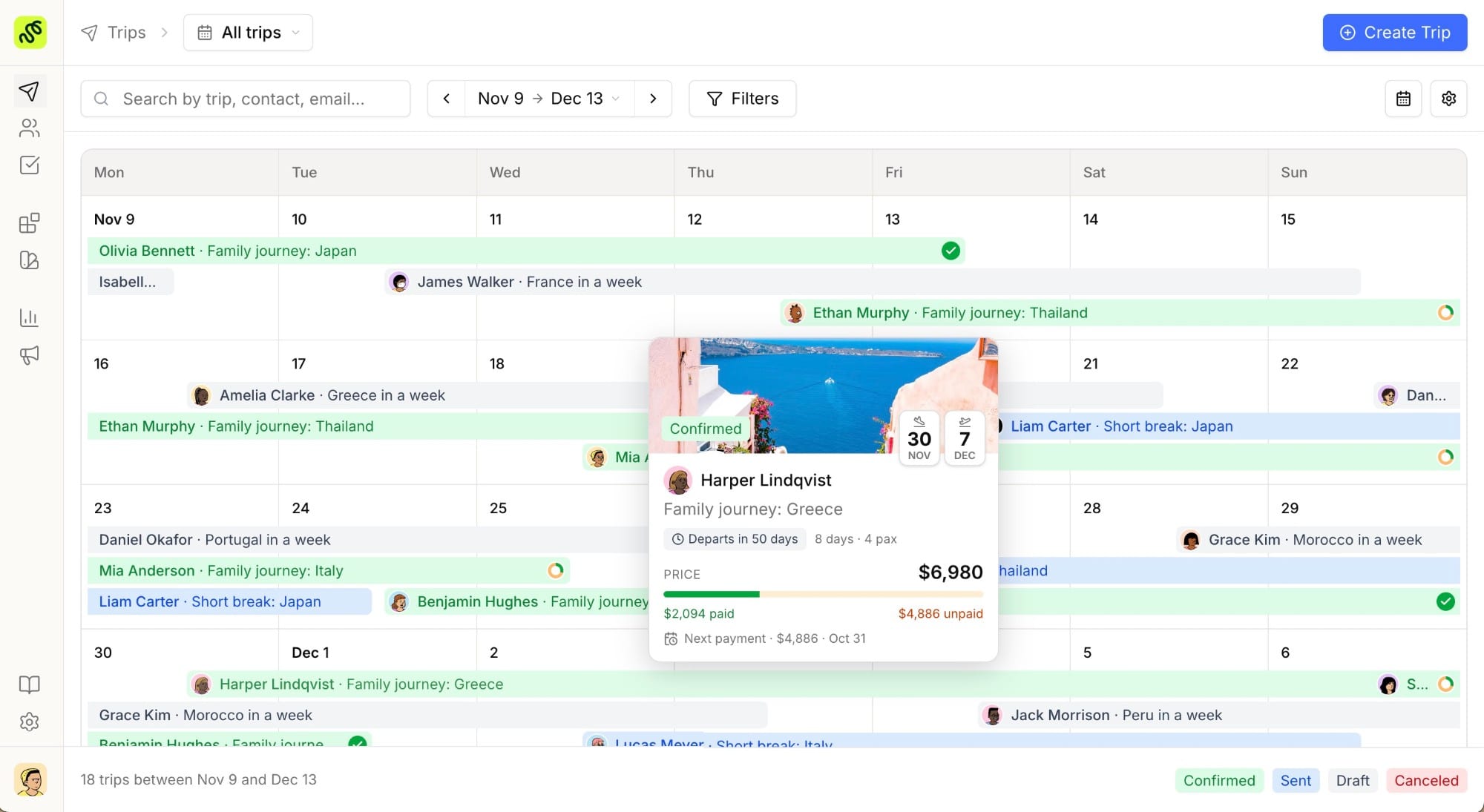
Inquiries arrive from a website form, a referral, an email, and a DM, and they go cold in hours if nobody owns them. Look for web forms that drop straight into the system, a visible pipeline with stages that match how you sell, and clear ownership so no inquiry sits unassigned. A good CRM workspace turns scattered inbox threads into a list you can actually work down.
Quoting and proposals connected to the record
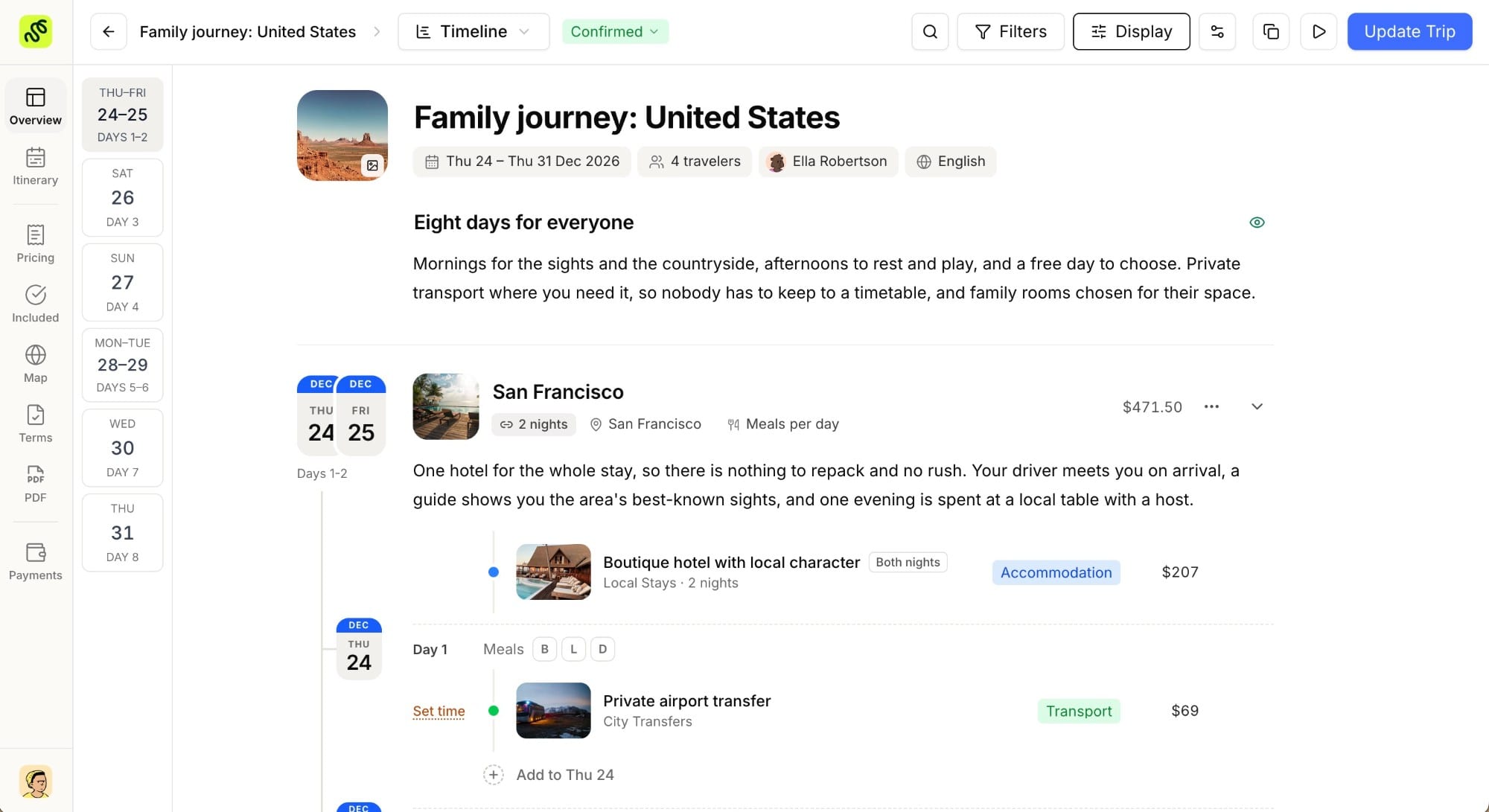
This is where travel-specific tools pull ahead. If your CRM and your itinerary builder are separate products, every quote means copying client details between systems and hoping nothing drifts out of sync. When the proposal is built from the same record that holds the client and the pipeline, the quote, the follow-up, and the booking all stay attached to one history.
Supplier and booking data in reach
A quote is only as fast as your access to rates. Check whether the tool lets you store supplier contacts, net rates, and availability, so building an option does not send you digging through old emails. You do not need a full back-office accounting suite to benefit here, you need your own supplier knowledge in one trustworthy place.
Reporting that answers real questions
Most agencies know their overall conversion rate only vaguely. The feature that matters is being able to see conversion by stage, by advisor, and by trip type, plus the revenue and booking numbers behind them. Built-in analytics that update as deals move beats exporting to a spreadsheet once a month, because a dashboard you never open changes nothing.
Automation that keeps the personal touch
Automation in a travel CRM should remove the admin, not the warmth. Useful versions are quiet: a reminder to follow up when a proposal has gone unopened for three days, a task created the moment a deposit is due, a templated pre-departure message you still edit before it sends. Be wary of tools that push heavy drip campaigns as their headline feature. Custom travel is a relationship business, and a canned sequence rarely fits a six-month plan.
Integrations and a way out
No tool does everything, so check what it connects to: your inbox, payment processors, and an automation layer such as Zapier, Make, or an open API. Just as important and often overlooked, confirm you can export your contacts and history cleanly. Data you cannot get out is a lock-in risk, and the exit matters as much as the entry.
Features you can probably skip
A longer feature list is not a better tool. A few capabilities get oversold:
- A full GDS terminal, if you design bespoke FIT and group trips rather than ticket flights all day. It adds cost and training for a workflow you may rarely touch.
- Marketing-automation suites bolted onto the CRM. One reliable follow-up reminder beats a complex campaign builder nobody on a small team maintains.
- Deep accounting and multi-entity finance, unless you are a large operator. For most agencies this is weight you pay for and never use.
Buying for the agency you are, not the enterprise you imagine becoming, keeps both the price and the learning curve sane.
How to evaluate before you commit
Specs on a pricing page tell you what a tool claims. A trial tells you what it feels like at 9pm with a client waiting. Before you decide:
- Write your three most common workflows as short scripts, for example “new website inquiry to sent proposal” and “returning client to rebooked trip.”
- Run each one end to end in the actual tool, with your own data, not the demo’s sample account.
- Count the clicks and the copy-paste steps. The winner is usually the one that needed the fewest.
Transparent pricing helps here too, because a tool that hides its cost behind a sales call is harder to compare on the terms above. TravelBuilderPro brings the itinerary builder, CRM, and analytics into one workspace precisely so the quote, the client, and the numbers never live in three disconnected tools.
Try it on your own workflow
The fastest way to judge any of these travel CRM features is to run a real inquiry through the tool yourself. Try every feature free for 7 days and build one proposal end to end: client record, quote, follow-up, and the analytics behind it, all in one place. The trial converts to your selected plan only if you choose to keep it.
Common questions
01What is the difference between a travel CRM and a general CRM?
A general CRM manages contacts and a short sales pipeline. A travel CRM adds the things a trip needs: client records that hold documents and travel history, quoting tied to an itinerary builder, supplier and rate storage, and reporting built around bookings rather than generic deals.
02Do small agencies and solo advisors really need a CRM?
If you handle more than a handful of trips at once, yes. The moment inquiries, quotes, and follow-ups outgrow your inbox and memory, a CRM is what stops leads from going cold and clients from slipping through the gaps. The question is usually which one, not whether.
03Should the CRM and the itinerary builder be the same tool?
For most bespoke-trip agencies, combining them removes the biggest daily friction: re-entering client details to build a proposal. Separate best-in-class tools can work if they integrate tightly, but every handoff between systems is a place for data to drift.
04How much should a travel CRM cost?
Pricing models vary from per-user monthly fees to per-booking charges and quote-based enterprise deals. Judge cost against the hours it saves and the bookings it protects, not the length of the feature list, and favor tools that publish their prices so you can compare like for like.
05Can I move my existing data into a new CRM?
Usually yes. Most tools import contacts from a CSV on day one, and proposal or booking history can often follow. Confirm the import path before you buy, and confirm the export path too, so you are never trapped if the tool stops fitting.
Summarize this article with AI
Opens your assistant with the question already written.